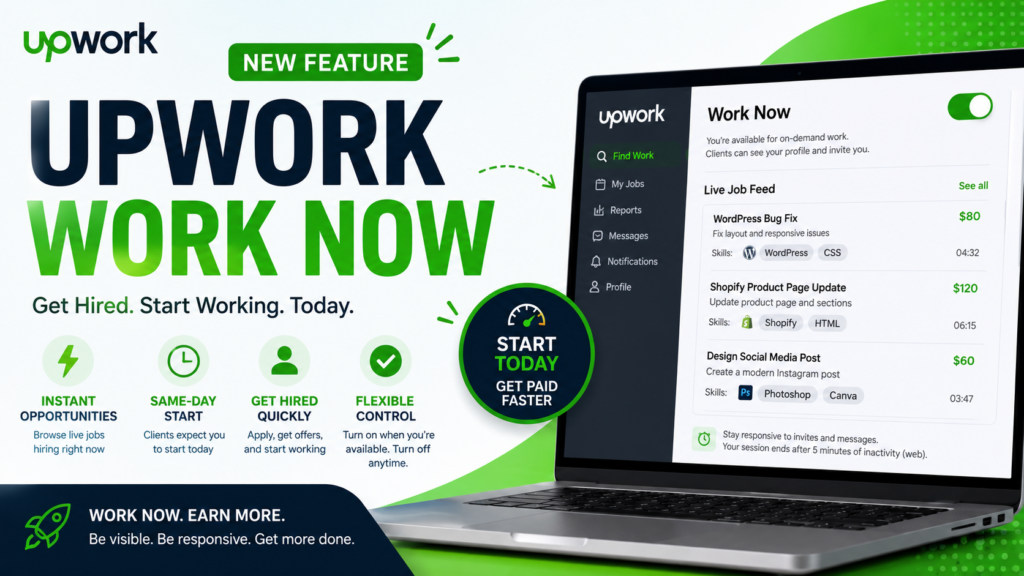
Upwork Introduces “Work Now” for Faster Hiring
Upwork is testing a brand-new feature called Work Now, designed to connect freelancers with clients who need work completed immediately.
Unlike traditional Upwork jobs where clients may take hours or even days to review proposals, Work Now focuses on real-time hiring. Freelancers who enable the feature become visible to clients looking for immediate assistance, creating opportunities to get hired and start working on the same day.
Currently, Work Now is available only to a limited group of freelancers as part of a testing phase. If you don’t see it in your account yet, don’t worry—Upwork is gradually rolling it out.
What is Upwork Work Now?
Work Now is an availability mode inside Upwork that tells clients:
“I’m online, available, and ready to start working immediately.”
Once enabled, your profile becomes part of Upwork’s active freelancer pool.
Clients posting Hire Now jobs can:
- Discover your profile
- Review your skills
- Invite you quickly
- Hire you within minutes
In return, freelancers are expected to begin work the same day after accepting an offer.
Think of it as the freelance equivalent of being “On Duty.”
Why Upwork Created Work Now
Traditional freelancing works well for planned projects, but many businesses need immediate help.
Examples include:
- Website bugs
- Urgent WordPress fixes
- Shopify issues
- Design edits
- Last-minute presentations
- Content revisions
- AI prompt engineering
- API troubleshooting
- Marketing campaign fixes
Instead of waiting hours for proposals, clients can now connect with freelancers who are actively available.
It’s a win-win:
Clients
- Faster hiring
- Faster delivery
- Less waiting
Freelancers
- More immediate opportunities
- Less competition from inactive freelancers
- Faster payments
- Higher utilization
How Work Now Works
Using Work Now is simple.
Step 1: Enable “Work Now”
Go to:
Find Work → Work Now Toggle
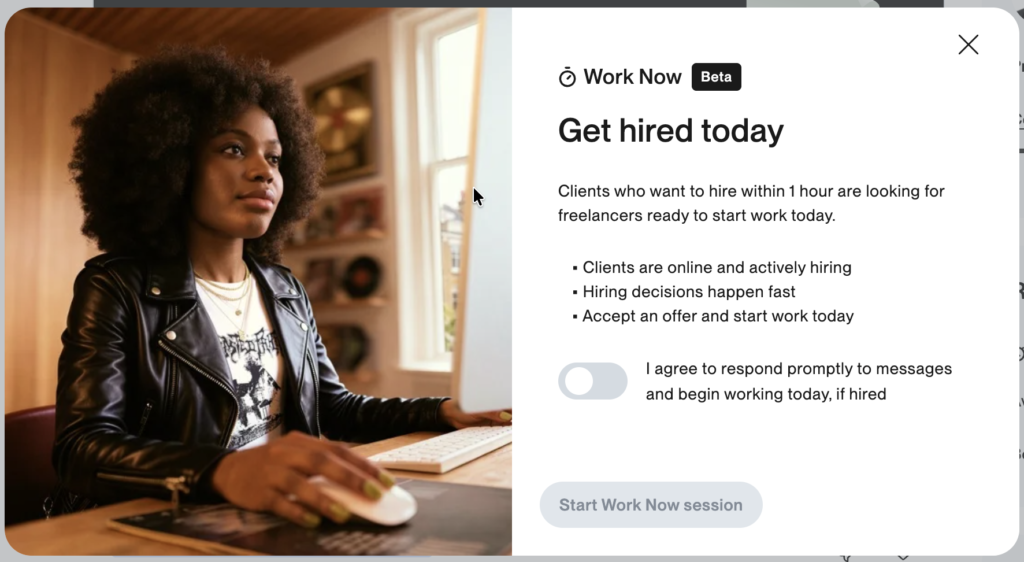
Turn the toggle ON.
This signals to clients that you’re available immediately.
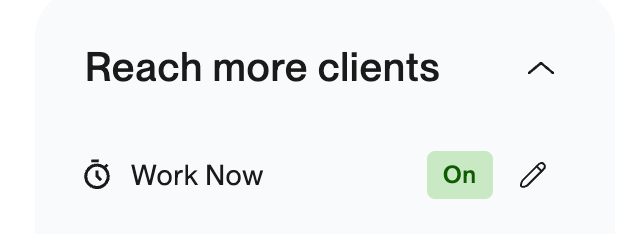
Step 2: Accept the Agreement
Before activating Work Now, Upwork shows an agreement explaining:
- Same-day work expectations
- Response requirements
- Session behavior
After accepting, your Work Now session begins.
Step 3: Browse Live Jobs
Instead of browsing standard listings, you’ll see a real-time feed of active jobs.
These jobs include:
- Client budget
- Required skills
- Timeline
- Countdown timer showing how long the client is actively hiring
Only jobs matching your skills and rate are shown.
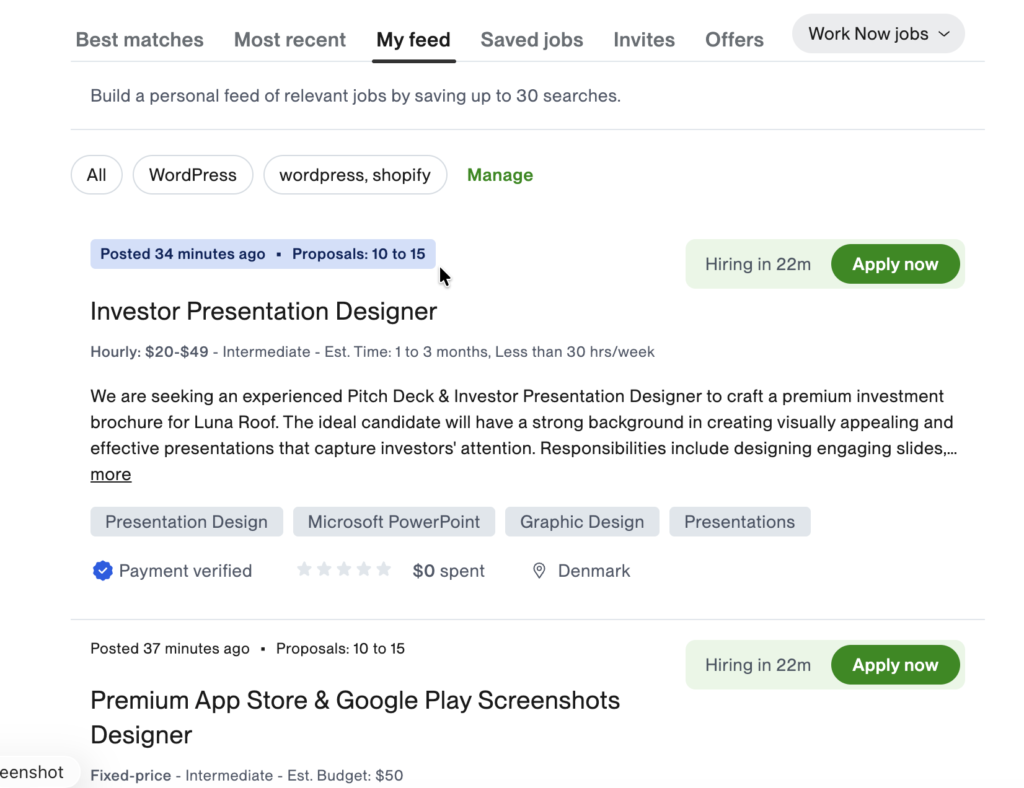
Step 4: Apply Instantly
Click Apply Now on any job.
Clients receive your profile immediately.
Unlike traditional jobs, speed matters.
Step 5: Accept the Offer
If selected, you’ll receive an offer.
Review:
- Scope
- Budget
- Timeline
- Deliverables
Accept it…
…and start working immediately.
Understanding Work Now Sessions
One unique aspect of Work Now is that sessions don’t stay active forever.
Web Browser
Your session ends if:
- You’re inactive for 5 minutes
- You don’t respond to messages within 5 minutes
Mobile App
The mobile app works slightly differently.
There’s no inactivity timeout.
However…
You must still respond to:
- Messages
- Invitations
within 5 minutes to stay active.
What Happens When Your Session Ends?
When the session ends:
❌ You disappear from the Work Now freelancer pool.
However:
✅ Your profile remains unchanged.
✅ Existing offers remain active.
✅ Messages remain accessible.
You can simply enable Work Now again whenever you’re ready.
Best Practices for Getting Hired
1. Keep Your Profile Updated
Clients make hiring decisions quickly.
Your profile should include:
- Professional headline
- Portfolio
- Recent projects
- Updated skills
- Accurate hourly rate
- Client testimonials
A complete profile increases visibility.
2. Apply Only If You’re Truly Available
Work Now isn’t for tomorrow.
It’s for today.
If you’re already busy with other clients, avoid enabling Work Now until you’re free.
3. Respond Immediately
Speed is everything.
Clients using Work Now expect responses within minutes—not hours.
Even a short delay may cost you the opportunity.
4. Review the Job Carefully
Just because hiring is fast doesn’t mean you should rush.
Always check:
- Scope
- Timeline
- Budget
- Client history
- Deliverables
Ask questions before accepting if anything is unclear.
5. Deliver High-Quality Work
These contracts affect your:
- Job Success Score (JSS)
- Client feedback
- Future visibility
Treat Work Now projects exactly like regular Upwork contracts.
Frequently Asked Questions
Can I keep Work Now enabled all day?
No.
Only enable it when you’re actively available.
Otherwise, clients may expect responses you can’t provide.
Can I decline an offer?
Yes.
Receiving an offer doesn’t obligate you to accept it.
If the scope or timeline doesn’t fit, you can decline.
Can I apply to multiple jobs?
Yes.
However…
Only accept as many projects as you can realistically complete.
Overcommitting can negatively impact your reputation.
Does Work Now affect my Job Success Score?
Yes.
Work Now contracts are treated like regular Upwork contracts.
Your performance contributes to your:
- Job Success Score
- Client reviews
- Overall profile reputation
Can I still work with existing clients?
Absolutely.
You can continue your regular Upwork contracts while using Work Now.
Just ensure you have enough capacity for any same-day commitments.
Advantages of Work Now
For Freelancers
- Instant hiring opportunities
- Less waiting for responses
- More visibility
- Better use of available time
- Potential for more earnings
For Clients
- Faster hiring
- Immediate support
- Reduced downtime
- Easier access to skilled freelancers
Potential Challenges
While Work Now is exciting, it isn’t suitable for everyone.
Consider these factors:
- Requires immediate availability
- Five-minute response window
- Fast decision-making
- Same-day work expectations
- Need to manage workload carefully
Freelancers juggling multiple long-term projects may find it challenging to stay consistently available.
My Thoughts on Upwork Work Now
I believe Work Now is one of Upwork’s most significant updates in recent years.
It addresses a common frustration on both sides of the marketplace:
- Clients often need urgent help.
- Freelancers often spend too much time waiting for responses after submitting proposals.
By introducing a real-time hiring experience, Upwork is moving closer to an on-demand freelance marketplace, where skilled professionals can connect with clients almost instantly.
For freelancers who enjoy solving urgent problems, have flexible schedules, and can respond quickly, Work Now could become an excellent source of consistent work.
That said, success will depend on being genuinely available. Enabling Work Now without monitoring your account or having the capacity to start immediately could lead to missed opportunities and unhappy clients.
As the feature expands beyond its limited rollout, it has the potential to reshape how short-term freelance work is discovered and delivered on Upwork.
Final Thoughts
Upwork Work Now is built for speed.
Instead of waiting days for hiring decisions, freelancers can now position themselves for immediate opportunities and same-day work.
If the feature becomes widely available, it could be especially valuable for developers, designers, marketers, AI specialists, writers, virtual assistants, and consultants who can respond quickly and deliver high-quality work on short notice.
If you see the Work Now toggle in your Upwork account, it’s worth exploring—provided you’re ready to jump into work as soon as an offer arrives.